03 / Description
Canadian Political Donations Platform
Explore donation data by donor, party and region, with filtering and export for researchers. I built the backend and API.
- React
- MapLibre GL
- Express
- PostgreSQL
- Supabase
- Jest
- backend tests (Jest)
- 52
- person team
- 3
Runs in your browser
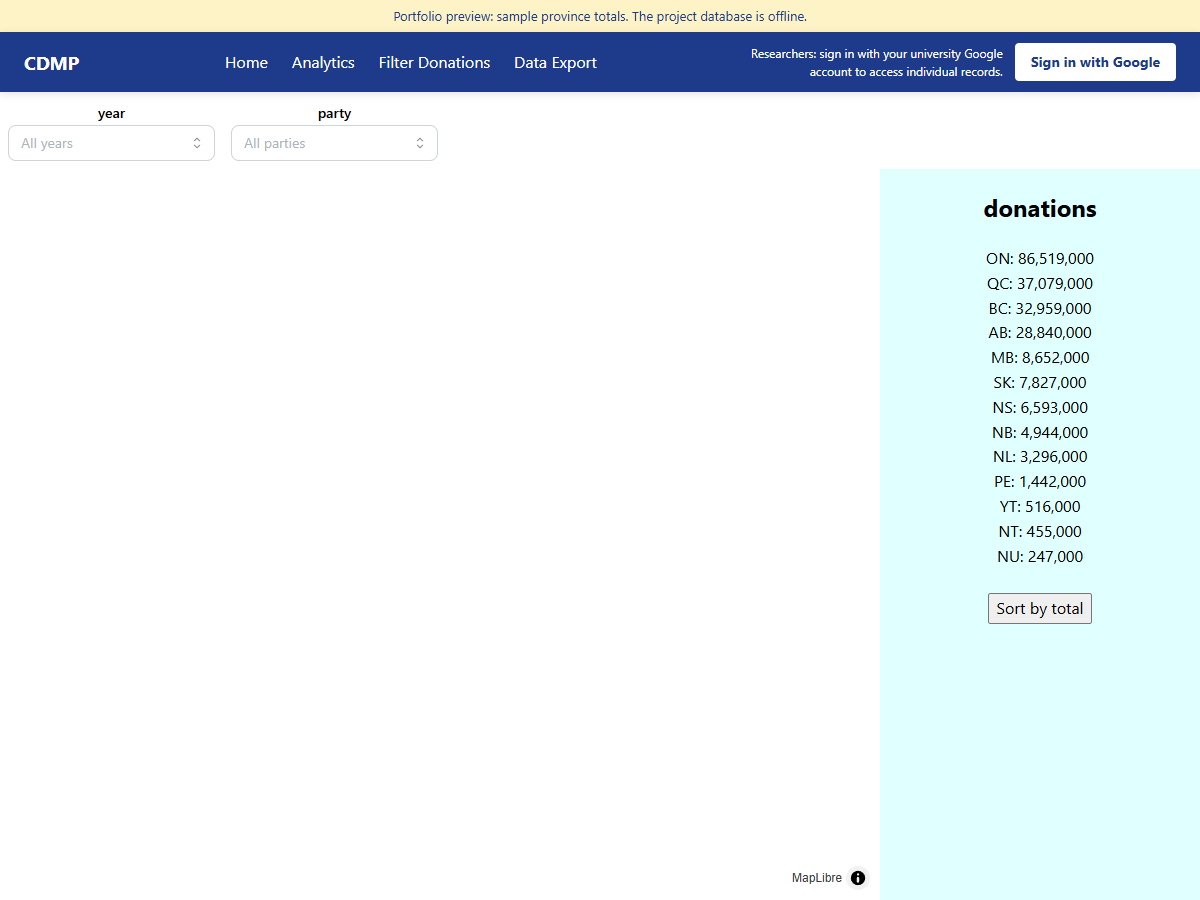
Filter by year and party, click a province, then open Analytics from the bar inside the demo.
Problem
Elections Canada publishes contribution records, but they are hard for a researcher to explore. Totals by region, party and year need aggregation, and individual records need controlled access.
Approach
A React and MapLibre front end shows totals by federal riding for 2019 and 2021, with party filters, per-party breakdowns, per-year trends and a comparison view. An Express API aggregates in SQL on Supabase Postgres. A pandas pipeline cleans the raw data. I owned the backend and API layer on a team of three (Weavers).
Key technical decision
Enforce access on the server, not in the UI. The individual-record endpoint validates the caller's token on the backend and limits it to university-affiliated accounts, public map endpoints serve aggregates only, and every access, including denied ones, is written to an audit log. Sort columns are whitelisted and search text is escaped, so user input never becomes SQL.
Result
Researchers sign in, then filter, sort, paginate and export individual records. The public map stays open. The backend has 52 passing Jest tests, and the data pipeline has pytest coverage.
Run it
The demo on this page is the project front end. While the database answers, the map, analytics, researcher records, and export use live aggregates. If it does not, the same UI shows a preview of public province, year, and party totals.
cd backend && npm install && npm start    # http://localhost:3001/api/health
cd frontend && npm install && npm start   # http://localhost:3000
The backend needs SUPABASE_DB_URL, SUPABASE_URL and SUPABASE_ANON_KEY (see backend/.env.example). Load the data with the scripts in data/Database Creation.